Sunday, May 31, 2009

Metal Gear Solid Touch: The Bus Ride Review One man. One game. One morning commute.

Metal Gear Solid Touch Review


How does a mobile/handheld game play on the morning commute? Let's find out.

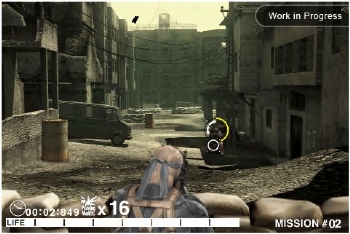
So the big news here is that Konami is taking the potential for mobile gaming very seriously. The fact that they brought their cash cow, Solid Snake, to the iPhone is as sure a sign as any. On the home consoles, MGS is synonymous with cinematic stealth action. But how does the gameplay translate here?

Maybe they should call it "


." The game itself isn't bad. Actually, it looks genuinely sharp graphically, but the bits that I played on my morning commute amounted to a near-future shooting gallery. Bad guys pop up and you sweep the reticule over them. Tap to snap a shot, make the "zoom-in" gesture to switch to a sniper scope or pull back out. Seems simple enough, right? At first, it is -- and looks great while doing it. Problem is, the mechanic can get a little old. As you blast through the 20-someodd levels in the game, you accomplish objectives such as taking out 15 enemies ASAP. Clear a stage, earn some "Drebin Points" and cash 'em in for things like wallpapers to gussy up your phone.

Is it worth the $8 asking price? Depends upon (a) how much you like the MGS series and (b) if you want pay to play a slick-looking skeet shoot. Me? I answered "Just enough" and "Why not?" Your Mileage may vary. If the price drops a couple bucks, definitely check it out.

AT&T "No Commitment" iPhone Pricing: No Bargain


Word on the street is that AT&T is finally preparing to add a new (but previously announced) pricing option for the iPhone 3G that does not require committing to a two-year data plan, or activating on site. But the offering (as outlined in a supposedly leaked presentation on Boy Genius Report) is so expensive--$599 for the 8GB model and $699 for the 16GB model--and so loaded with restrictions that it's hard to see who'd benefit from the deal, which supposedly will be offered starting March 26.

For starters, the contract-free price will only be available to existing AT&T customers--and there's no indication that the phone would be unlocked so that you could use it on someone else's network. Also, most people will want a data plan, so the issue then becomes how much you save if you want to opt out early from a commitment.

Let's say you're not eligible for the subsidized contract pricing ($199/$299). You can still buy an iPhone at the "early upgrade" price of $399 (8GB) or $499 (16GB) with a two year contract. Should you decide to opt out after a month of service you'd pay $175 for early termination, which would bring your outlay to about $575 for the 8GB phone and $675 for the 16GB phone. That's already a bit less than the no-commit price--and bear in mind that the termination fee would go down for each month you used the phone.

Since other costs (activation fee and monthly voice and data usage) would presumably remain constant regardless of how you purchased the phone, there doesn't appear to be any upside to the no-commitment pricing. The leaked AT&T presentation says the offer is meant to provide handsets to current customers who want to give them as gifts, add a line, or upgrade early. But my math suggests that even if you've lost your phone and want to replace it, you'd be better off starting over by buying the iPhone at the early upgrade price, and taking the two-year data plan (which you can cancel early if need be).

The no-commitment price option was leaded the day after Apple announced a slew of changes coming this summer to the iPhone operating system. These changes will presumably make the 9-month-old handset more appealing to new users. However, the cell phone competition is getting intense, and some predict newcomers will put pressure on iPhone prices.

No word yet from my AT&T contacts as to the accuracy of the leaked presentation, by the way.

Friday, May 29, 2009

Is IE8 Actually Safer?


Internet Explorer 8 hits the wires today with a bevy of new security features, including more protection against hacked sites, ActiveX lockdowns, and a private browsing mode. And if you're wondering whether you should get it, then here's your short answer: Yes.

IE8's new security features aren't earth-shattering, and it's a safe bet that crooks will continue to find successful attacks against the browser. Case in point: The new browser was already hacked by a security expert at the ongoing CanSecWest conference, along with Safari and Firefox.

But while IE8 won't stop malware and computer hacks, its additional protections should help. The new features include malware site blocking (SmartScreen), protections for site hacks that use cross-site scripting (XSS) or 'click-jacking' to steal your passwords or other data, and a simple but nice domain highlighting feature that can help you identify a phishing site. It also offers ActiveX control lockdowns, and a private browsing mode.

Microsoft says its SmartScreen filtering expands on IE7's anti-phishing filter to also block sites that are known to spread malware. I wrote about the feature, along with similar ones in Firefox and Opera, last summer. The feature uses a blacklist compiled from third-party partners, along with user submissions. No blacklist can block every bad site, since sites have to first be discovered and added to the list before they're blocked. But every additional opportunity to block a bad site helps.

The protection against 'click-jacking,' which could allow an attacker to trick you into executing some command of the attacker's choosing when you think you're clicking on a regular site button, requires that Web site operators add a special tag to their sites, and was panned by one of the reseachers who originally reported the risk. As with the additional basic protection against data-stealing XSS attacks, it won't be a panacea cure-all, but it may help. Same for the ActiveX options to allow a given control to only run for a particular user, or a particular site - buggy ActiveX controls have been a long-standing plague for IE security.

More clear-cut is the simple but welcome domain-name highlighting. IE8 will lighten some of the text in a URL so that it's easy to immediately pick out the real domain name, which can help foil a common phishing tactic of using long URLs that start with something that looks like a real bank site, for instance. Firefox users can (and should) get the same functionality with the Locationbar2 addon.

And finally, there's the InPrivate browsing, aka 'porn mode.' The feature allows you to surf sites in a new browser window without leaving a record of your surfing in the browser's history or cookie cache, and also turns off toolbars and extensions by default. I wrote about the feature, along with the related InPrivate filtering that can allow you to stop sites you visit from sharing information about your visit with third parties. I covered both features, along with private browsing features in Firefox, Safari and Google's Chrome, last fall.

If you currently use IE 7, then as my colleague Preston Gralla writes in his nice review of IE 8, upgrading is a no-brainer. Both for the additional security and other features. And if you're still using IE 6, then first re-install Windows, because you're probably already infected six ways from Sunday. Then install IE 8 on your clean install of Windows.

As to whether it will prove more secure than competing browsers such as Firefox, the jury's still out. For one thing, if it wants to wear the secure browsing crown, then Microsoft needs to improve the time it takes to close discovered holes. New risks constantly pop up for all browsers, but Mozilla tends to close those holes much more quickly than Microsoft.

But even if you use Firefox, Opera or something else as your primary browser, odds are you still have to fire up IE on occasion, maybe for an old company Web site that uses IE-specific code. So head to Microsoft's download site for the new browser.

Put Xirrus Wi-Fi Inspector on the Case of the Wonky Wireless Hot Spot


If you're a frequent user of Wi-Fi hot spots, you'll find this free software an invaluable tool, especially if you need to troubleshoot connections. Xirrus Wi-Fi Inspector finds nearby Wi-Fi networks, gives an extraordinary information about each, manages your Wi-Fi connections, and monitors and reports on network speed and performance.

For each network that it finds, Xirrus Wi-Fi Inspector tells you whether it's encrypted or not and if so, what encryption it uses; the signal strength; manufacturer of the router; what channel and frequency it uses; and whether it's an access point or a peer-to-peer connection--and more as well.

To help troubleshoot, the software also displays your IP address, information about your adapter and IP configuration. In addition, it pings your configured DNS server and gateway to make sure they're active and alive.

There's plenty more here as well, including a speed tester. The software is a more powerful version of Xirrus's free Wi-Fi Monitor, which runs as a Vista gadget. Both pieces of software are immensely useful for people who frequently connect to Wi-Fi networks.

Thursday, May 28, 2009

Apple Premium Pricing Buys More Than a Logo


I did not plan to take time out of my weekend to defend Apple, but Jeff Bertolucci's missive "Ballmer Is Right: Mac Users Do Pay Dearly for Apple Logo" is just wrong. Not in the facts, mind you, just the analysis.

Jeff compares a low-end MacBook portable to a similar Dell laptop. He concludes that the MacBook, at $999, costs $359 more than the Dell. Jeff never actually states an opinion on the relative value of the two machines--the headline does that work--but it seems clear enough where he's coming from: The Mac isn't worth the extra coin.

Still, he does give the MacBook some credit:

"Apple enthusiasts will counter that Mac users don't have to fuss with security worries, and that's true, at least for now," Jeff writes. It's worth mentioning that Apple has enjoyed a pretty long "now" in avoiding Windows-scale security headaches for, well, as long as there's been a Microsoft Windows."

"They'll point out that Macs don't come with the crapware that infests so many Windows PCs," he continues. "And they'll make the valid observation that the MacBook's preinstalled software, including iLife, is superior to the so-so apps, including Microsoft Works, that ship with most consumer Windows PCs.

"Fair enough. But are those advantages worth a $300-plus premium? In this economy, many consumers may think not."

Jeff is right about the apps. Apple hardware comes with high quality apps that Windows users have to pay extra for. That chips away at the price premium.

I find Mac users to be more productive than Windows users because they spend less time "messing" with the computer and solving (or not) various Windows hassles. In a business environment, this saving of staff time can offset the Mac premium so quickly it will make your head spin. Ease-of-use saves money.

In addition, many people will happily pay $300 to not be subjected to Windows Vista. Others, like me, do not find Vista that objectionable (and are liking Windows 7) but still believe Mac OS X is worth a premium.

For people who buy Macs--home users, small businesses, various professionals--the cost premium is clearly worth it. Although I have long been critical of Apple's premium pricing, after Jeff laid his example out for me, I find it hard to complain.

Another example: Which would most people rather own, an Apple MacBook Pro or Dell's Adamo laptop, complete with Vista Home Premium. That is a discussion I cannot believe serious people are having.

Of course, and this is where Jeff makes sense: You can only pay the premium if you have the money. As people economize and substitute real dollar savings for an improved experience, Mac sales are suffering.

I don't think the premium pricing Jeff cites is excessive at all, but I agree that if people don't have the money, they can't pay the premium. Moreover, customers who need a new machine right now may substitute the Dell they can afford for the more expensive Mac.

David Coursey uses a Mac and a Dell every single day and has nice things to say about both of them. Write him using the contact form at www.coursey.com/contact.

Wednesday, May 27, 2009

Play Xbox Games on Your Cell Phone


Imagine playing what looks like an Xbox 360 game -- on a $100 cell phone. That, according to Remi Pedersen, graphics product manager at ARM, is exactly what could be possible as soon as winter 2009 with its new higher-end Mali-200 and Mali-400 processors.

Even though he won't discuss individual chip prices, Mali mobile GPUs are already showing up in some phones. The 65nm Mali-55 is a first generation core in LG Electronics' Renoir phone. Partnered with an Arm CPU, that phone runs Flash, but has no shader capabilities. But at least it gets some props for being a tiny OpenGL ES GPU -- good for 3D gaming. (For a little perspective, the iPhone supports OpenGL ES 1.1 as well.)

Pedersen promises 4x Anti-Aliasing out of Mali -- and up to 16x without taxing the system too much. But give it a few months and expect to see handsets rocking the Mali-200 GPU. This is where it'll get interesting: OpenGL ES 2.0 is completely shader-based, a subset desktop code. Difference is, it removes cluttered code but keeps vertex and pixel shaders. It'll run 16 million triangles/second, 275 million pixels/second. And, yep, it'll be able to run Flash and Java games.

The Mali-400 has the same basic performance, according to Pedersen, but is multicore scalable: From a single-core 100MHz mali-400 scaling up to quad-core at 300MHz. It can even scale to produce 1080p resolutions. (ARM even gave me a projected chart for how they see the market going in the next few years).

Click to zoom

Considering the potential horsepower I had to check, but Pedersen tells me that, "If you're targeting a low-powered design, I doubt we'll see phone overclocking. It sure would be interesting to see, though."

What I find equally interesting is the work around a software engine. Before the handset design is fixed, ARM is working closely with several 3rd party developers. "It gives us a better view of how different systems will perform. Take feedback from developers to create the next gen CPUs and the silicon partners." Developers usually come late to the party, they get a handset and have to figure out what to do from there.

But at the Game Developers' Conference in San Francisco this coming week, Pedersen gave me a tease to show what the GPU can do: We'll be able to see a port of Project Gotham Racer (Xbox 1) running in OpenGL ES. "Performance-wise, it runs like the original Xbox, but feature-wise it looks like an Xbox 360 title," he says. I can't wait to see what else they have on display.

Dell is Dull: Smartphone Canceled for Lack of InterestDell is Dull: Smartphone Canceled for Lack of Interest


Remember the Dell smartphone? Apparently neither do cellular carriers. According to Kaufman Bros. analyst Shaw Wu, the Dell smartphone profoundly failed to wow carriers and was dumped.

Dell faced stiff competition from RIM's Blackberry, Apple's iPhone, and the upcoming Palm Pre, and based on Wu's report, couldn't handle the pressure of making a sexy, functional device that would entice interest. "From our conversations with supply chain and industry sources, it appears that it ultimately came down to lack of carrier interest," Wu wrote.

Dell built prototypes that ran both Windows Mobile and Google Android but couldn't physically differentiate its handhelds from competitors. Sexy tech sells, and judging from Dell's computer line-up, which is mostly full of cheap-looking plastic devices -- Adamo notwithstanding -- the company failed to open any eyes. And since Dell did not craft its own OS, it seems as though it's almost had no chance.

Nevertheless, Dell has "gone back to the drawing board" and will rejoin the race with a device that will "likely involve vertical integration of some sort including software and/or services," Wu writes.

There is also buzz that Dell might be looking to buy Palm, which would definitely give Dell a heads-up in the smartphone biz

Monday, May 25, 2009

Apple resurrects the 17-inch iMac


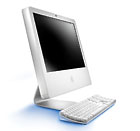
Remember when Apple discontinued the 17-inch iMac in 2007? Well, it looks like that iMac hasn't gone away at all and is still available to schools for only $899. Italian blog, SetteB.it, discovered the new offering in the March edition of Apple's "eNews of Education" newsletter. "The new iMac line also includes a 17-inch model starting at $899," Apple states in the newsletter. It seems that Apple is providing the model as an enticement for schools in the K-12 range to invest funds they may receive through the Obama Administration's "American Recovery and Reinvestment Act". President Obama has stated repeatedly that he wants to spread access to technology across the country. apple imacPhotograph: Marc Simon
Apple's newsletter also links to an Apple white paper that declares that the education funding in the American Recovery and Reinvestment Act (ARRA) of 2009 "represents a tremendous boost in education spending . . . at a time when the country needs it most." It won't be bad for Apple, either; the company concludes its white paper by stating, "Apple is ready to partner with you as you move forward with plans to invest in education and technology. Apple can assist you in matching your educational goals with the technology that will help you be successful."

This is certainly a great deal for schools, especially as some look for the best way to invest any funds they may receive from the federal government. But if Apple really wanted to capitalize on the current economy, why not release this well-priced device for the entire public? Oddly enough, the 17-inch iMac was originally intended for schools and only became available to everyone in 2002 after public demand grew, according to Ars Technica. Then, in 2007, Apple officially discontinued the 17-inch iMac only to have it resurface today. Currently, Apple offers 20- and 24-inch models to the general public starting at $1199. But who knows? Maybe history will repeat itself if demand grows loud enough. So how about it folks, anybody out there want to buy a 17-inch iMac for less than $1000?

New Killer NIC fixes VoIP for Gamers


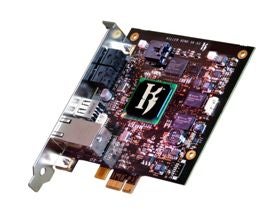
A couple years back, Bigfoot Networks stepped into the market with an idea: Build a network card for gamers. This NIC promised to optimize packets and prioritizes games. Heck, the original had a separate USB port so that you could download torrents to a USB thumb drive while playing Battlefield 2. But it sold for $280 at launch--a really hard sell. The $149 K1 is an underclocked version with more features like a hardware firewall that replaces the firewall in the router / system and a bandwidth control tool detects apps that run in the system and throttle stuff manually.

Now, at the 2009 Game Developer's Conference, Bigfoot Networks has two announcements. The first: they are releasing the $130 Killer Xeno Pro card. The big deal this time around is that they've been able to get prices down, beef up the memory and pack on an additional chip that can offload the voice chat. A 400GHz NPU (as in Network Processing Unit -- oh, joy, another acronym!) bypasses the Windows network stack while an integrated audio chip offloads VoIP. We're talking audio input/output jacks as well -- the whole nine yards. Yep, voice applications (which can easily chew up CPU bandwidth) can be handled on the Xeno card. A couple of the big, dedicated software packages -- Vivox, TeamSpeak, and Mumble (a Linux voice app) -- will be supported at first.

That sounds neat, but a fairly major omission is support for GameSpy, which comes configured within many of the new games out there. And what about all those games like, say, Battlefield 2 that have their own internal VoIP code? "A fair question," admits Bigfoot CTO Harlan Beverly, "but we do plan to release firmware updates fairly regularly -- like we've done with our previous cards."

Difference is that this time, Bigfoot won't be producing the cards. The second bit of news: Bigfoot is partnering with EVGA to produce, distribute and sell the upcoming hardware. You'll see the $130 Killer Xeno Pro with 128MB of RAM selling in April. While a slightly "sexier" version, the Killer Xeno Ultra comes with 256MB of RAM (useful) and an 8-panel, 14-segment LED display (not-so-useful) ships in May for $180. How well does it all work? Well, it sounds good on paper. We hope to get some hardware in-house and see for ourselves if it delivers all the goods as promised and really make for a better online gaming experience.

Sunday, May 24, 2009

New Intel Processors and Price Drops Coming Soon


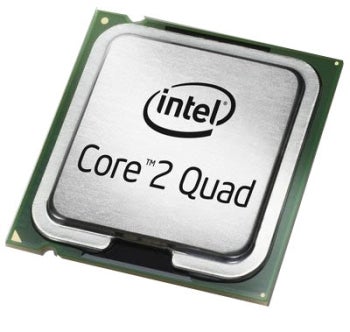
According to sources at motherboard manufacturers,Digitimes reports significant price drops of several desktop processors will occur in April and July of this year. If you're in the market for a new Socket 775 Quad Core, you may want to hold off for a few weeks. Expect the following markdowns to occur April 19th:

  • Core 2 Quad Q9300 from $266 to $213 (19.92%)
  • Core 2 Quad Q9550S from $369 to $320 (13.28%)
  • Core 2 Quad Q9400S from $320 to $277 (13.44%)
  • Core 2 Quad Q8200S from $245 to $213 (13.06%)

July 19th will bring more price reductions of numerous models:

  • Core 2 Quad Q8300 from $183 to $163 (10.93%)
  • Core 2 Duo E7500 from $133 to $113 (15.04%)
  • Pentium E5400 from $84 to $74 (11.90%)
  • Pentium E5300 from $74 to $64 (13.51%)
  • Celeron E1500 from $53 to $43 (18.87%)

In addition to the discounts, the article sheds light on launch dates for several processors. A new duo of Socket 1366 CPUs will be available May 31st. The Core i7 975 Extreme Edition (3.33GHz) and Core i7 950 (3.06GHz) will likely replace the existing 965 and 940 models. Here's a list of Intel's upcoming chips, their prices, and launch dates:

  • Core 2 Quad Q8400 for $183 (April 19)
  • Core 2 Quad Q8400S for $245 (April 19)
  • Core i7 975 for $999 (May 31)
  • Core i7 950 for $562 (May 31)
  • Core 2 Duo E7600 for $133 (May 31)
  • Pentium Dual-Core E6300 for $84 (May 31)
  • Celeron Dual-Core E1600 for $53 (May 31)

IE 8's Poor Reception Not a Good Sign For Microsoft


internet explorer 8 loses marketshare to Intenet explorer 7

The honeymoon appears to be over for Internet Explorer 8 -- and it wasn't much of a honeymoon to begin with, either. Just days after the browser's big debut, its market share has fallen a full 28 percent from its peak. Alternative browsers, meanwhile, have held steady ground, losing no significant number of users to Microsoft's new offering.

IE 8 By The Numbers

IE 8 managed to break the 2 percent mark within a day of its release last Thursday, according to tracking data by analytics firm Net Applications. It grew slowly over the weekend, topping out at 2.59 percent of the overall browser market at 3 a.m. (EDT) Sunday. From there, things started heading downhill.

With a steady decline, Internet Explorer 8 dropped down to 1.86 percent of the market by Monday morning. It's bounced up and down a bit since then, but thus far, there's been no sign of a second wave of supporters rushing to make the switch.

Compare that with the release of Firefox 3 last summer: Within just three days of its launch, Mozilla's next-generation browser more than doubled its beta share, jumping up to nearly 19 percent of the market.

"I suppose the kindest description of user reaction to IE 8's first public outing would be 'underwhelming'," says Aodhan Cullen, CEO and founder of online data firm StatCounter.

When it comes to the big picture, it looks like IE 8 was essentially a wash: Most of the new IE users seemed to come from IE 7, data from StatCounter suggests. The previous browser's market share has fallen by 1.54 percent since IE 8's release. Chrome has remained constant, while Safari, Opera, and Firefox have all actually seen slight gains since IE 8's release.

(To be fair, Microsoft could still see a surge in corporate adoption of IE 8 once businesses have a chance to review and approve the product. Still, most of those places will likely be upgrading from past IE versions, so any significant overall change in market share doesn't seem probable from that effect alone.)

Putting It Into Context

The results shouldn't necessarily come as a surprise. Internet Explorer has been losing market share consistently for months now. In February, Microsoft's overall slice of the pie slipped to 67.44 percent, down .11 percent from the previous month.

It's the overall trends, however, that are most striking: From the start of 2008 to the start of 2009, Internet Explorer dropped down nearly 8 percent in its total market share. Other browsers continually climbed, with Firefox growing by 27 percent in the same time period.

In February, I used a simple mathematical analysis to project that IE's days of domination are numbered. Put simply, if these trends continue, Microsoft's stronghold on the browser market will slip away sooner than most may think.

So is the battle effectively over? Maybe. Given that IE 8 was hyped as the company's big leap into outperforming its competitors, and given the dismal results we're seeing so far, one has to wonder what further tricks Microsoft could possibly have up its sleeve.

NVIDIA Provides PhysX for Playstation 3 and Wii


PhysX is coming to a console near you. Last week, NVIDIA signed an agreement with Sony to provide Playstation 3 developers the use of PhysX technology software. With the goal of realistic graphics and highly interactive environments, level designers and animators will be allowed to author and preview physics effects in real time.

"NVIDIA is proud to support Playstation 3 as an approved middleware provider," said Tony Tamasi, senior vice president of content and technology at NVIDIA. "Games developed for the Playstation 3 using PhysX technology offer a more realistic and lifelike interaction between the games characters and other objects within the game. We look forward to the new games that will redefine reality for a new generation of gamers."

Two days after proclaiming the arrangement with Sony, NVIDIA published a similar agreement with Nintendo and the highly successful Wii console. "Adding a PhysX SDK for Wii is key to our cross-platform strategy and integral to the business model for our licensed game developers and pulishers," said Tony.

With PhysX technology now available to more game developers than ever before, it will be interesting to see how well it is implemented in future games, for consoles and the PC. Also, keep an eye on a possible conflict with the use of NVIDIA software in conjunction with the Wii's graphics solution provided by ATI.

OnLive: Video Games Without the Hardware


An imposing new force in the video game industry is promising to give Nintendo, Microsoft, and Sony some life-threatening competition come winter. OnLive does what no console-maker has done before: removes the console from the equation.

Steve Perlman, the entrepreneur behind WebTV, and Mike McGarvey, formerly of Eidos, are using cloud computing and OnLive's patented data compression technology to beam video games to rudimentary devices without tarnishing graphics quality.

What You'll Need

To get started, you'll need a decent Internet connection. For standard play, you'll need a 1.5 megabits per second Internet connection, and in order to view games in 720p resolution, you'll need at least 5 mbps, which is standard for high-speed broadband providers.

Forget the souped-up PC; if you own a netbook, you're ready to get started. As long as you have Windows XP or Vista, and can handle the 1MB plug-in, OnLive's Internet servers promise to do all the heavy graphical lifting, using patented video compression technology and algorithms that eradicate pesky lag.

If you don't have a Windows PC to use, OnLive also will offer a set-top box that will connect to your TV (standard-definition or otherwise). This allows you to use a controller instead of a computer-based mouse and keyboard. This device, which will supposedly be low-cost, functions as a decoding box with no significant hardware inside. It also features two USB inputs, support for four Bluetooth devices, and optical and HDMI connections. This option allows gamers to dodge Microsoft's monopolistic bullet and stick with the traditional console feel.

How It'll Work

OnLive hasn't revealed its business model yet, but it will likely use a subscription service wherein gamers can buy or rent titles instantly. Instead of paying $400--or more--for a gaming device, and $60 for each title, you'll get access to titles through a streaming model. The bargain is clearly aimed toward the buyer, and depending on how much OnLive's subscription service ends up costing, the company could blow its rivals out of the water in terms of value.

How the Industry Will Take the News

Major game publishers have already warmed to the idea and signed on. The names include EA, THQ, Codemasters, Ubisoft, Atari, Warner Bros., Take-Two, and Epic Games. Clearly these companies see a profitable future in cutting out the console middleman and dealing directly with customers. These agreements also signal a massive catalog of available video games.

What you won't be able to play is Halo, Zelda, Little Big Planet, or any other console-specific title. Don't expect Microsoft, Sony, or Nintendo to let these properties go just yet. However, given that consoles generally lose money, but software sales gain, OnLive presents a unique business opportunity for its competitors, should the rivals choose to hop on board. Otherwise they face stiff competition, especially in the form of online gaming.

OnLive has the potential to generate a wide-ranging and powerful video game community in existence, one that could trump even the seemingly unbeatable power of Microsoft's Xbox Live service. Gamers who are into playing with their buddies will likely flock to OnLive, as there will be no restrictions based on who is playing with what.

Streaming video games also wipes game piracy out of the picture. With no physical manifestation, it becomes impossible to copy or steal. This alone explains why so many publishers have already shaken hands with OnLive.

OnLive acknowledged that, at least in the beginning, gamers will keep their consoles and use OnLive as an add-on. But when the next round of consoles is released, it's fair game. Perhaps the next Xbox, PlayStation, and Wii will look more like handhelds and depend instead on massive servers -- if they even exist by then.

Saturday, May 23, 2009

Solid-State-Drives: The Fastest Storage Eve... Wait a Second


It only took the site 31 pages to do so, but AnandTech has come out with a thorough, yet easy-to-ready primer on the history and architecture of the modern solid-state drive. But this isn't just a digital textbook: The site has crunched the numbers to determine the veracity of the reports that SSDs aren't as speedy in real-world use as typical benchmarks and evaluations might have you believe.

Here's the deal: A number of print and Web publications run benchmarks on solid-state drives just like they do on standard, magnetic storage. This typically entails firing up a few synthetic benchmark applications--programs that offer speed measurements for a drive, but do so in a fashion that isn't very correlated to real-world use--alongside a few closer-to-real-world benchmarks like PCMark, Iometer, or some kind of measurement from actual applications and games.

These tests are frequently done on blanked (if not unpartitioned) drives, but measured across the whole of the drive as much as possible. By that, I mean that a number of the synthetic benchmarks concoct average speed scores for the hard drive's various operations by measuring its performance from a number of different locations across the drive's spinning platters. Reviewers can't just slap a blank drive in a system, load up a copy of an operating system, and run tests in the OS to simulate the drive's real-world use. They would have no way of controlling the exact methods by which the operating system and hard drive store data after the copy, resulting in incomplete points of comparison against other products--or a lack of apples-to-apples testing.

This isn't a critique of testing methods. But it's important to understand this back-story a little bit, because these same methods are frequently used to test solid-state drives as well. The problem with that is that a solid-state drive can show different performance depending on how many of its flash cells are being used. According to AnandTech, a drive that stores some element of data across all of its blocks--the smallest part of a solid-state drive's flash memory that can be written at any given time--will suffer drops in both its read and write performance.

We'll say that again: Once you've filled your SSD with enough data, performance chokes.

How bad does it get? Depending on the drive, you could see drops of tens of megabytes per second in reads to over a third of your drive's available write performance. This translates into real-world performance losses of anywhere from three to fifteen percent--at least, based on the particular batch of drives AnandTech tested. The site still found that its tested SSDs outperformed the best of the magnetic storage offerings, mostly due to their speedier random-access capabilities. That, and the fact that the affected read speeds of solid-state drives are still beyond those of conventional magnetic storage.

As for the takeaway, AnandTech's results bring forth two points to consider. First, the Declaration of SSD Independence: not all solid-state drives are created equal. This should be obvious, but it's worth emphasizing for those new to this storage spectrum. Drives can be optimized for low random access times, high bandwidth, or a combination of both. AnandTech found that those in the first category, like Intel's X-25M and X-25E line of SSDs, tended to fare much better in post-slowdown performance than SSDs optimized for high transfer rates.

Second, AnandTech's findings cement the need for increased accuracy in solid-state reviews. What good is a benchmark result that will vary in wild and dramatic fashions after you've used the drive for a normal period of time? It would be uncouth to point fingers. But you shouldn't trust the results of any reviewer who only runs a cursory series of benchmark runs on an empty drive. Until this SSD slowdown is corrected on a hardware or operating system level, there's just too much of a chance that reported results won't reflect your real-world performance. And given how much you'll be spending for that brand-new SSD, you really should pick up the best device you can afford to buy.

Thursday, May 21, 2009

Peek Pronto Offers E-Mail on the Go


Capitalizing on the less-is-more model, Peek has introduced its latest email-only mobile device, the Peek Pronto. Coming in at just under $80, the Pronto features push e-mail, SMS capability, Exchange support, and access to five different e-mail accounts. You can also view PDFs, Microsoft Word documents, images, and search your e-mail. The Pronto comes with an unlimited data plan for $19.95 per month, and Peek says the Pronto is 50 percent faster than its predecessor.

The original Peek device gained popularity for delivering a basic e-mail service and nothing else. The Pronto builds on that concept by improving its e-mail experience while not expanding the device's capabilities beyond email. It's interesting that Peek is focused on delivering a no-frills e-mail device in an era when most tech companies are trying to cram as many functions as possible into one device.

Given the wide range of capabilities on today's smartphones and netbooks the Pronto seems a little primitive; however, in these uncertain economic times a moderately priced device that gets the job done could attract a strong following. "Peek Pronto gives you...great value and [that] is exactly what folks are looking for during these challenging economic times," Peek's CEO Amol Sarva said in a statement.

The Pronto has 8 MB of user storage, comes in charcoal gray only, weighs less than 4 ounces, and has 4 to 5 days of battery life under normal usage, according to Peek. If you want to get your hands on the Pronto you can get it online at Amazon.com starting Wednesday, and the Peek will be available at Radio Shack and www.GetPeek.com in April.

Wednesday, May 20, 2009

Sony Slashes PS3 Price (Sort Of), PC Tops for Gaming

The best parts of GDC are the ones you'd probably find the most boring. They're spent hunkered in crowded, slightly gamy smelling rooms listening to panels of game celebs wax prolific about anything from high-definition physics and platform-independent shader development to tongue-tanglers like "Riding the Waves of Change: How Video Game Companies Can Flourish in an Environment of Relentless Volatility and Flux."

And then you get headline-grabbers like these...

Sony Cuts PS3 from $10,250 to $2,000. The debugging Reference Tool, that is. Yeah, $10,250 mazuma for one of those bad boys. Not to be confused with the debug units we in the press use to access non-retail review discs, these things look like brick houses (see pic at top) or the sidewise desktops we used to prop our CRTs on. The new ones apparently look just like regular PS3s. The reason that drop's important, is that it's essentially Sony dialing the air with one finger and silently mouthing the words "Call me."

Microsoft claims Final Fantasy XIII will sell better on Xbox 360. Yeah, well, claims are free, but results cost in cachet. Microsoft knows no better than you or I or anyone else what the multi-platform performance of a game like Final Fantasy XIII is going to be. To claim (confidently) otherwise is either evidence of hubris, paranormal superpowers, or — you smelled it — marketing. With Capcom's Street Fighter IV selling nearly as well last month on the PS3 as the 360 despite the 360's nearly double unit footprint in the U.S., MIcrosoft ought to be a trifle more cautious. In fact what the company ought to be talking about is what it's going to offer along with Final Fantasy XIII to make an Xbox 360 purchase more compelling. Unique DLC? Themes? Avatar accessories? Time-exclusive demos? Developer interview clips? Come on guys, competition on the field of services, not hyperbole.

The PC Gaming Alliance releases a report stating that the PC is the "No. 1 platform for gaming world wide." No arguments here, though how your arrive at that number is partially a question of how you define the term "game." If you're counting freebies like solitaire and minesweeper and not restricting your benchmark to revenue, the only way the champ could ever not be the PC would be the total implosion of Microsoft Windows...which has roughly as much chance of happening as confirmation of aliens among us. That said, according to the PCGA report, "the PC is the largest single platform for games with annual worldwide revenue of about $11 billion." That's more than any competitor, be it the PlayStation 3, Xbox 360, or...yes, even the Nintendo Wii. I've got the report in hand — it's full of all sorts of fun facts — and I'll be back to say more about this shortly.

Tuesday, May 19, 2009

Motorola and Kodak deliver a phone with an impressive camera, but uninspired design.

http://images.pcworld.com/reviews/graphics/products/imported/43909_g3.jpg

http://images.pcworld.com/reviews/graphics/products/imported/43909_g1.jpg


http://images.pcworld.com/reviews/graphics/products/imported/43909_g2.jpg

The Motorola Motozine ZN5 is part cell phone, part digital camera. It's the brainchild of a partnership between Motorola and Kodak, boasting a 5-megapixel camera with a bevy of impressive settings and features. And at $99 (after a $100 mail-in rebate) it comes at an unbeatable price--it's much less expensive than the Nokia N95 (approximately $500, unlocked), which also has a 5-megapixel camera. But Motorola put so much effort into the camera component that it compromised on other aspects of the phone, such as design and 3G support.

Face up, the Motozine ZN5 is a typical candy-bar-shaped phone. It has a bright, 2.4-inch, 320-by-240-pixel screen, and beneath that lies a flat keypad (with small, tactile bumps on the number keys). The handset also has dedicated keys for different camera functions, such as photo reviewing and sharing.

Flip the ZN5 over, and it looks like a stand-alone point-and-shoot camera, complete with a Xenon flash and lens cover. Unfortunately the lens cover is flimsy and easily pops up in a bag or pocket.

Either way you turn it, the ZN5 still resembles a slab of concrete. In spite of that, however, it feels good in the hand, both as a camera and as a phone. Weighing about 4 ounces, the ZN5 is sturdy without being too bulky, and it's constructed with a combination of hard and soft plastic that makes it comfortable to hold for long periods of time.

And you'll want to hang on to this phone for every photo opportunity, because the camera, the ZN5's headline feature, is superb. It starts automatically when you slide open the lens cover or when you press the dedicated camera key on the phone's side. The 5-megapixel camera has autozoom, a low-light setting, three focus settings (auto, landscape, and macro), five white-balance settings, panoramic and multishot modes, an autotimer, and six shutter sounds.

The camera has some limitations; for one, you can't manually adjust the shutter speed or set the aperture. The click-to-capture speed is about 0.02 seconds, though, which is faster than most mobile phones and even some stand-alone cameras. The camera automatically adjusts aperture and shutter speed depending on the environmental lighting.

After you're done snapping pictures, you can edit your photos on the camera. Among other things, you can resize, rotate, or crop; adjust brightness, contrast, or sharpness; and add image borders and graphics. Kodak's Perfect Touch feature--a one-touch photo enhancer that lightens dark areas and deepens colors--is another useful included editing tool. Unfortunately, you can't edit your recorded videos; you can only trim their length for video messages.

When you've edited your photos to your liking, you can transfer them to your PC with the included USB cable or 1GB microSD card, or via text message. You can also upload them wirelessly to the Kodak Photo Gallery, where you can share the pics and order prints.

In my hands-on tests, photo quality was very good, about the best I've seen from a mobile phone. Colors appeared accurate and bright, with very little interference. The Xenon flash was a little too bright, however, often blowing out my pictures. Videos weren't as crisp, but still looked good. The ZN5 has a panorama mode, too. When I first heard about it at CTIA, I thought it seemed a bit gimmicky and useless. But in actuality, I really enjoyed playing with this feature, and I had fun taking action shots with it.

The ZN5 connects over T-Mobile's EDGE quad-band network, but also supports Wi-Fi. The browser loaded pages at a moderate speed and displayed them clearly, but with limited Java support. The ZN5 definitely could benefit from a faster 3G connection, particularly for the photo-uploading features. Connecting through Wi-Fi didn't really increase the speed.

Call quality, enhanced by Motorola's CrystalTalk technology, was very good. My contacts sounded clear, though a little quiet. Parties on the other end consistently reported very good sound quality with little background noise. The battery lasted 10 hours in our lab tests--the maximum amount of time that we test.

The ZN5 has the standard Moto media player, which supports WMA, MP3, and AAC, plus a few other types of audio files. Unlike other Motorola phones, such as the Rokr E8, the ZN5 does not support protected AAC from the iTunes store. The media player is pretty bare-bones: You can browse your music by recently played, artists, albums, genres, and composers. The ZN5 offers no music-store app, but you can sync your music library on your PC to your phone via Windows Media Player 11. The handset also includes an FM radio, which triggers when you plug in the included headphones. If you prefer, you can swap those headphones for better ones, since the ZN5 has a standard 3.5mm jack.

Audio quality for the most part was good but not stellar. Video quality, on the other hand, was worse than I expected; I saw a lot of blurriness and interference in the videos I played in my hands-on tests.

The Motorola Motozine ZN5 might not be the most eye-catching handset or the fastest phone around, but its impressive camera makes those small faults forgivable. And you can't beat the $100 price.

Sunday, May 17, 2009

Did Lenovo Invent Apple's Netbook?


In Silicon Valley's clash of innovation and ego, it's hard to remember who invented what. Oftentimes a company invents something it's not ready to ship. Another company ships something it didn't invent. Both companies jockey for the credit.

The iPhone is a perfect example. Back in 2006, it became clear that several handset makers were ready to embrace a new idea for cell phones. Instead of devices with small screens and numeric or alphabetic keypads, these companies planned to ship cell phones that were all screen and no keypad. The buttons would be mere software pressed on-screen.

Apple Inc. was one of those companies, but its product would be beat to market by handsets from Asian manufacturers. So Apple did something unusual. CEO Steve Jobs fully unveiled the iPhone in January 2007, nearly six months before it would ship. The resulting hype suffocated awareness of the Asian handsets.

Now everybody associates all-screen, touch-screen cell phones with Apple and the iPhone. Most casual observers assume Apple invented that type of device, and that everyone else is copying the iPhone.

Here comes the ultimate netbook

In the run-up to Apple's big iPhone 3.0 announcement this week, rumors about an Apple netbook reached fever pitch. Would the company ship one? If so, would it be a clamshell or a tablet? Would it run Mac OS or the iPhone operating system?

Some rumor-mongers speculated about a midyear launch, but others suggested that Apple would employ the old "one more thing" shtick to surprise the industry with its new netbook during this week's iPhone 3.0 rollout. It didn't happen, but many thought it would.

During this frenzy of speculation, photos "leaked" of a truly breathtaking netbook from Lenovo Group Ltd., the Chinese company that acquired the ThinkPad division of IBM.

Initially, the Lenovo netbook, called the Pocket Yoga, was reported as a soon-to-be-shipping product. Then it emerged (on my blog, among other places) that the Pocket Yoga was nothing more than a two-year-old concept that Lenovo had no plans to build.

Symantec Says Credit Card Data May Have Leaked From India


Symantec said on Monday that credit card information relating to three of its customers may have been leaked from its call center contractor in India.

The company has narrowed down on one employee of the contractor as a possible suspect, and has turned over the information including recorded call data to the police for investigation, a spokesman for Symantec India said on Monday.

The call center, e4e India, however denies any theft of data from its operations.

Reporters from the British Broadcasting Corporation (BBC) posing as fraudsters claimed last week in a BBC report that they bought names, addresses and valid credit card details of persons from the UK from a man they identified as Saurabh Sachar in Delhi.

Three of the persons whose details were provided to the undercover reporters had bought software from Symantec by giving their credit card details to a call center over the phone, BBC said.

Symantec discontinued routing of online sales and other calls to the service provider, as soon as the matter came to its attention, the spokesman said.

Symantec was planning to discontinue its relationship with e4e by the end of this month for commercial reasons, but has decided to expedite the transition in view of the suspicion of information theft from the call center, the spokesman said. It didn't have any problems previously with the call center, he added.

E4e however said that there was no evidence whatsoever linking its operations to the data leakage at Symantec alleged by the BBC report. The company is just one of many call centers in India to which Symantec outsources work, said Narasingarao Dataram, president of e4e India, on Monday.

On hearing of the BBC report that data from Symantec customers may have been compromised, e4e did an internal check, and also alerted the cyber-crime police, only out of due diligence, and not because it believed that the data had been leaked from the its operations, Dataram said.

Saturday, May 16, 2009

YouTube Gives Twitter Love


twitter google youtubeGoogle sprinkled a few extra features on YouTube last night, in a spring cleaning effort to catch up with the ever-popular Twitter. Viewers can now post a video they like on Twitter and users got a few tweaks when managing their content.

Everybody is integrating Twitter functionality these days, as the microblogging platform gains more user traction. The most prominent example is Facebook, which redesigned its whole news feed to accommodate the need for real-time updates. And now it's YouTube's turn, but with not so much glory.

The share links on YouTube now offer a Twitter posting option along Facebook and MySpace. Users can expand the box for more sharing options, but those three xare the ones YouTube promotes.

When you click on the Twitter button, a pop-up window will open your Twitter account and fill in automatically with text asking your followers to "check this video out" followed by the video's title and URL. Unfortunately, the video link is not shortened (using services like TinityURL or Bit.ly) but YouTube said it plans to add that "down the road."

Other improvements made their way onto YouTube as well. A new Flash uploader is in service, together with a long-expected upload progress bar. The site also promises an estimated video processing time after the upload in the near future. An official HD USL parameter has been added also, for sharing HD video links.

And when YouTube says "spring cleaning," it really means it: the video-watching pages are also tidied up, with smaller action links and no more tabs for comments, statistics and data (they are now collapsible using a little arrow). It is now easier to log in with Google Account credentials (if you Google and YouTube accounts are associated) with an all-in-one sign-in page.

YouTube also makes an attempt to take on Apple's iTunesU, with the YouTube EDU project, which collects and highlights educational content uploaded by colleges and universities on the site.

Asus Takes Top Spot In Reliability Report


RESCUECOM, which recently increased from annual to quarterly data reporting, provided its latest Computer Reliability Report for the fourth quarter of 2008. ASUS landed the top spot followed by Lenovo and Apple. Here are the scores from the report:

* ASUS - 972
* Lenovo - 348
* Apple - 324
* Toshiba - 172
* Acer - 151
* HP - 142

The analysis compares vendor market share with consumer service calls placed to RESCUECOM's call center. Scores are calculated based on a sample of 15,000 calls received during the quarter. In addition, the report reveals quality of the components and software used in manufacturing the computer as well as support the company provides to its customer after the sale.

"The results are in, and although ASUS is the leader this quarter with a reliability score of 972, ASUS's reliability score should be taken with a grain of salt, even though it was more than 600 points ahead of IBM/LENOVO. We look forward to seeing if ASUS is able to maintain the same demand and reliability over the coming quarters," says David Milman, RESCUECOM CEO.

A Geek's Guide to the Earth Hour Challenge


World Wildlife Fund is promoting a hour of darkness - what's a geek to do?The World Wildlife Fund wants you to power down your electronic life for one full hour this weekend: no lights, no TVs, no computers -- basically, nothing that actively uses electricity. Think you're up for the Earth Hour challenge?

Earth Hour: What It's All About

Earth Hour is scheduled for 8:30 to 9:30 p.m. in your local time zone this Saturday, March 28. The goal is send a message to governments everywhere that more should be done to combat climate change. Leaving your lights on, the WWF says, is a "vote for global warming." (Not that they're trying to guilt you into participating or anything...)

The WWF is hoping a billion people worldwide will make the switch. The results of the hour will be presented at a Global Climate Change Conference later this year.

How to Survive the Powerless Hour

So, a full hour with no electricity -- a daunting idea, isn't it? (If you really have doubt as to the level of your electronics addiction, take this digital astrology quiz to see just how dependent you are.)

Now, to be fair, the official Earth Hour site talks about spending the hour making a video, taking and uploading photos, live-blogging, or tweeting away on Twitter. And sure, even with the lights off, you could technically still bask in the glow of a battery-powered cell phone or laptop as you connect with virtual friends across the world.

But come on -- that's a questionable loophole if I've ever seen one. You did use electricity to charge the things, after all. Plus, there has to be a router connected somewhere that's giving you all that delicious Wi-Fi, right? Leaving devices on seems to be missing the spirit of the whole "cut the cord" concept. Hey, the makers of BlackBerry agree, so I can't be too far out on a limb here.

Anyway, as attached as we've all become to our inboxes, taking an hour on a Saturday night to be in the dark might be good for more than just the environment. Imagine it: no ringtones sounding, no text messages buzzing, no electronic interruptions whatsoever. I can certainly think of one thing you could do with the moonlit quiet time.

Just make sure you have protection. You don't want to be building a computer outside without some way to safely ground yourself.

Asus Portable To Have Optical Drive: Is It Still A Netbook?


Taiwan's AsusTek Computer has played a major role in defining the netbook computer genre. Its Asus Eee models, along with competing mini-notebooks such as the Acer Aspire ONE and Lenovo Ideapad, have proven popular with consumers willing to sacrifice a few features -- full-size keyboard, larger screen, and a DVD drive, to name a few -- for a smaller, lighter portable that’s fine for email and Web-browsing.

But Asus will soon break with netbook tradition by launching an Eee PC with a built-in optical disc drive (ODD). According to a DigiTimes report out of Taipei, the ODD-equipped E1004DN netbook will arrive next month, followed by the 1008HA in May. The E1004DN will feature an Intel Atom N280 processor, a GN40 chipset, and a 120GB hard drive. There’s no word yet on screen size, but given that Asus has already announced plans to discontinue its 7-inch and 8.9-inch Eee netbooks, it’s a safe bet the E1004DN’s screen will measure at least 10 inches. The E1004DN will retail for about $531 to $590, although I suspect street prices here may be a bit lower. The $600-range seems a bit high for value-oriented netbook buyers.

But does the netbook crowd really want a built-in optical drive? Asus certainly thinks so, and it’s made some pretty smart moves thus far. Netbooks are popular with air travelers, many of whom watch DVDs during flights. For them, particularly those who aren’t fond of digital downloads, an optical drive makes sense.

With netbook screens growing larger, and with mini-notes adding new capabilities such as optical drives and the ability to play high-definition video, maybe we need a new definition for the genre. What exactly is a netbook? A portable with a screen that’s, say, smaller than 13 inches? A computer that uses the Intel Atom CPU? A notebook that’s priced under $500? Ultimately, the term “netbook” may disappear altogether, like “LCD display.”

Thursday, May 14, 2009

Facebook Caves To User Outrage and Google Adds Semantic Search On PC World Podcast Episode 22


This week, PC World Editors Robert Strohmeyer, Tim Moynihan and Mark Sullivan bring you the 22nd episode of the PC World Podcast. This edition is a lively discussion about the aftermath of Facebook’s most recent facelift, Google's new semantic search, and the new Webbie HD camera.

Facebook recently completely redesigned their Web site, giving it a noticeably Twitter-esque vibe. The changes were so drastic that users complained, and Facebook decided to make some alterations on the new design--but will they really benefit the user? The group weighs in.

It may not seem revolutionary now, but Google will soon be redefining the way we search for information online with the use of semantic search technology. After the drastic introduction of Facebook's changes, will the switch to Google semantic search will be more subtle and gradual?

Tim Moynihan gives us an early look at the new Webbie HD, the latest version of a reasonably priced camcorder created for the You Tube generation. It’s small and attractive--but is it going to suit anyone beyond the target market of teenagers?

Finally, our editors debate this week's Big Question: Has Twitter jumped the shark?

Why Microsoft Should Buy Facebook


Facebook is in trouble and Microsoft can solve those troubles, at least for now, by taking over the company. Yes, it is hard to believe that a company growing as rapidly as Facebook is growing should be in trouble, but it is.

No matter how Facebook tries to position itself to earn its living someday, it runs afoul of its users. Thus, Facebook is a classic example of a company that loses money on every sale, but "makes it up in volume."

The things Facebook must do to turn itself into the big moneymaker that venture capital funding demands will, I predict, turn it into just another MySpace clone--in the sense that MySpace is run for the benefit of advertisers, not its users. Which is why many adults who started on MySpace moved to Facebook in the first place.

Facebook already has credibility problems stemming from the types of advertisers it mostly attracts. How is it that every Facebook ad seems to be promoting a dubious scheme of some sort?

Microsoft does not need for Facebook the make the huge profits its current financing requires. Microsoft could buy Facebook and just run nice, low-impact Microsoft advertising and do just fine. Alternatively, it could accept advertisers very selectively and, over time, create an environment that users might actually accept.

This is a case where I trust Microsoft, in its kludgey "be all things to all people" way, to do a better job of looking after me than a bunch of Facebook folks still infected with start-up fever and expecting Googlesque returns.

If you just take the pressure off Facebook management to quickly turn the service into a big money maker, I think they will ultimately find a way to make it an even larger profit center (for Microsoft), without losing perhaps half to three-quarters of the Facebook user base in the process.

The problem with Facebook as it currently exists is that it was not designed, from the start, to be a favorable environment for advertisers. Rather the opposite. Facebook was until recently so customer-focused that it developed a wonderful user interface that left little space for advertising or other ways to earn a buck.

Changing Facebook to make it more ad-friendly is what has its customers so upset. Each of the big Facebook conflagrations has been somehow ad related: First, ad beacons; next terms of service; post recently, the new layout. I am sure the Twitterization of Facebook falls in there somewhere.on Facebook is pretty disgusting to look at.

I repeat: If I want Twitter, I already have it. I liked (in the past-tense) Facebook precisely because it wasn't Twitter.

The recent discussion on Facebook's blog about changes to the user interface does not seem to be aimed at solving these problems. To my reading, they are just dressed-up explanations of what Facebook was planning to do anyway.

It may not look like it, but even as it experiences huge growth, the Facebook many of us know and loved (past-tense, again) is in deep trouble. Microsoft can do itself and us a favor by purchasing Facebook and giving it a chance to be the user-friendly and profitable company I know it can become

Why Microsoft Should Buy Facebook


Facebook is in trouble and Microsoft can solve those troubles, at least for now, by taking over the company. Yes, it is hard to believe that a company growing as rapidly as Facebook is growing should be in trouble, but it is.

No matter how Facebook tries to position itself to earn its living someday, it runs afoul of its users. Thus, Facebook is a classic example of a company that loses money on every sale, but "makes it up in volume."

The things Facebook must do to turn itself into the big moneymaker that venture capital funding demands will, I predict, turn it into just another MySpace clone--in the sense that MySpace is run for the benefit of advertisers, not its users. Which is why many adults who started on MySpace moved to Facebook in the first place.

Facebook already has credibility problems stemming from the types of advertisers it mostly attracts. How is it that every Facebook ad seems to be promoting a dubious scheme of some sort?

Microsoft does not need for Facebook the make the huge profits its current financing requires. Microsoft could buy Facebook and just run nice, low-impact Microsoft advertising and do just fine. Alternatively, it could accept advertisers very selectively and, over time, create an environment that users might actually accept.

This is a case where I trust Microsoft, in its kludgey "be all things to all people" way, to do a better job of looking after me than a bunch of Facebook folks still infected with start-up fever and expecting Googlesque returns.

If you just take the pressure off Facebook management to quickly turn the service into a big money maker, I think they will ultimately find a way to make it an even larger profit center (for Microsoft), without losing perhaps half to three-quarters of the Facebook user base in the process.

The problem with Facebook as it currently exists is that it was not designed, from the start, to be a favorable environment for advertisers. Rather the opposite. Facebook was until recently so customer-focused that it developed a wonderful user interface that left little space for advertising or other ways to earn a buck.

Changing Facebook to make it more ad-friendly is what has its customers so upset. Each of the big Facebook conflagrations has been somehow ad related: First, ad beacons; next terms of service; post recently, the new layout. I am sure the Twitterization of Facebook falls in there somewhere. Twitter on Facebook is pretty disgusting to look at.

I repeat: If I want Twitter, I already have it. I liked (in the past-tense) Facebook precisely because it wasn't Twitter.

The recent discussion on Facebook's blog about changes to the user interface does not seem to be aimed at solving these problems. To my reading, they are just dressed-up explanations of what Facebook was planning to do anyway.

It may not look like it, but even as it experiences huge growth, the Facebook many of us know and loved (past-tense, again) is in deep trouble. Microsoft can do itself and us a favor by purchasing Facebook and giving it a chance to be the user-friendly and profitable company I know it can become

Wednesday, May 13, 2009

Ubuntu 9.04 Beta: Quick Look


So far there have been six alpha releases of the forthcoming Ubuntu 9.04, due for final release next month, and late yesterday the one and only beta release was made available for download. From this point forward there's a release candidate in mid-April, before the final release is made on the 23rd.

With this beta release everything should be shaping up nicely, and (theoretically) the work from this point onwards should be bug-fixing and polish.

Let's find out how the release is shaping up.
Performance

One of the things demanded by Ubuntu head honcho Mark Shuttleworth in his announcement of 9.04 was that boot times should be improved. This certainly seems to have happened, and in my tests 9.04 booted pretty quickly. In fact, booting to the login prompt was actually quicker than resuming the machine from hibernation. (My test machine was a crappy budget laptop with a Celeron chip and 1.5GB of memory; I did a full hard disk install.)

Additionally, the ext4 filesystem driver is now included, although isn't used by default, and must be deliberately selected by the user during partitioning. The big boasts of ext4 as far as end-users are concerned include support for insanely large file systems of up to one exabyte, but the feature that's got most people excited is a performance boost compared to the older ext3. I ran some quick and unscientific tests on an ext3 installation of Ubuntu, and then repeated the tests of an ext4 install. The testbed was the aforementioned budget laptop, and the highly-accurate timing device was myself, my thumb, and the stopwatch mode of my wristwatch. In other words, don't hold too much store by these results.

There were some marginal improvements with ext4, especially in boot times and when copying significant amounts of files, but perhaps not enough to overcome the potential risks of using ext4 this early in its life. (You might be wondering if the hibernate to disk performance is improved but remember that Ubuntu hibernates to the swap partition, not the filesystem, so this is unaffected; I realized this after performing my tests, but it was borne out in my results which were virtually identical between filesystems).
Ext3

Boot from cold: 25.93 seconds
Start Firefox on a cold machine: 4.64 seconds
Start OO.org Writer on a cold machine: 7.11 seconds
Copy /usr directory to the desktop (1.5GB; using cp command): 6 minutes, 6.62 seconds
Hibernate to disk: 29.21 seconds
Hibernate wake-up from cold: 30.86
Ext4

Boot from cold: 22.23 seconds
Start Firefox on a cold machine: 4.35 seconds
Start OO.org Writer on a cold machine: 7.74 seconds
Copy /usr directory to the desktop (1.5GB; using cp command): 5 minutes, 21.48 seconds
Hibernate to disk: 29.56 seconds
Hibernate wake-up from cold: 29.91 seconds

Any Windows fans out there will be pleased to hear that ext4 includes an online defragmentation tool, e4defrag. However, this doesn't appear to be installed on Ubuntu 9.04 (or perhaps it resides under a different command-name; if you know the situation, post a comment below.)
Visual Refresh

There's a new boot progress graphic (i.e. usplash), which I can't say looks better or worse than previous efforts. Additionally, there's a new wallpaper that takes as a starting point the swirly lines seen in virtually every operating system wallpaper since 1998. The only different here is that the color scheme is orange and brown, in the usual Ubuntu style. My advice: install the gnome-backgrounds package, which includes a terrific sample of images.

Some of the community themes that were optional in 8.10 are now default (Dust, Dust Sand, New Wave), and this helps mitigate the fact that the whole Ubuntu desktop experience is starting to stagnate. It hasn't changed significantly for quite a few years now.

It's now possible to set transparency effects for the panels, provided the Compiz visual effects system is activated (it is by default). This is kinda cool, and brings Ubuntu into line with OS X Leopard, which introduced a similar feature.

The Log Off/Shutdown etc. items have been removed from the System menu, and now live on the fast user switcher icon at the top right of the desktop. This icon is turning into something of a status display and mode-switcher--not only does it now let you log out etc., and switch to a different user account, but it also shows your Pidgin status. Rather annoyingly, the fact it is now the only way to shutdown means that you can't get rid of it, unless you intend to use telinit each time at the prompt.
Notifications

The last few releases Ubuntu have featured notification bubbles that pop-up near the system tray area at the top right of the screen. These inform the user about events that have happened, such as connecting to a wireless network.

With 9.04 the notification system has been visually overhauled so that the pop-up boxes have a smoked glass appearance. All notifications now appear as pop-up boxes in this style, including notebook screen brightness status displays, for example, or low battery warnings. If more than one notification appears at the same time, they stack-up beneath each other.

Unfortunately, the notifications don't work like those on other systems, whereby you can click on them to clear them. Put your mouse over the notifications on 9.04 and they turn semi-invisible, letting you click beneath them. They only go away when they want to, which seems to be after a couple of seconds by default. This is a little annoying.
OpenOffice.org 3

Although it was skipped for the 8.10 release last year, despite being available (the omission was caused by problems with packaging, apparently), OpenOffice.org 3 has made it into the 9.04 release.

To be blunt, this is very hard to get excited about. There's a handful of cool new features, including inline commenting, which as an author I find useful. If you want to know more, see the OpenOffice.org Web site.
Synaptic

Synaptic now features a "Get Screenshot" button in each package description that will, as you might expect, download a thumbnail screenshot of the application (provided it's the type of application that it's feasible to have a screenshot of; system components don't have them, for example). Clicking the thumbnail will then download the full-resolution version. This is a nice feature.
Gnome 2.26

It has to be said that Gnome is maturing into a very nice desktop environment, and the 2.26 release sees only minor tweaks here and there. Sadly, many of the key features boasted about on the Gnome Web site are skipped in the Ubuntu distribution of Gnome. You won't see the Empathy Instant Messenger, for example, unless you specifically install it. On the other hand, Ubuntu's IM choice of Pidgin is better right now, so this is a good thing. Evolution sees a few new additions, primarily in the area of Windows integration, although missing from Ubuntu's Gnome distribution is the all-new ability to import Microsoft Outlook PST files (the central database of messages). This seems to be because the libpst library is missing, but I haven't investigated any further. Still, this is a shame.
Cruft Cleaning

One of the features slated for 8.10, but postponed until 9.04, is the Computer Janitor program. This lives on the System, Administration menu. Unfortunately, it doesn't work in the beta, complaining that a package is missing, but I played with it in the alpha releases I've tested. It's purpose is to get rid of old packages, such as old kernel files that stick around when you upgrade. As far as I can tell, it's a GUI equivalent of typing sudo apt-get autoremove and sudo apt-get clean at the command-prompt. Beware, however, that it might be a little overzealous: in one of my tests using the alpha release, it considered no longer necessary a package I'd installed by hand (TrueCrypt). I had a little too much faith in it, and agreed to its deletion, only to have to reinstall the package afterwards.
Brasero

Technically Brasero should be discussed under the Gnome 2.26 heading, because the program is officially part of the Gnome desktop experience. And like Gnome itself, Brasero is maturing quite nicely. The big change in Ubuntu 9.04 is that it has entirely replaced Gnome's built-in CD/DVD Creator, that formerly lived on the Places menu. In this beta release, there are two menu entries for Brasero on the Applications menu: one under Sound & Video, which starts the full Brasero interface, and one under the System Tools menu, that starts Nautilus in CD/DVD recorder mode. When the Write To Disc button is hit, after you've dragged across the files you want to burn, Nautilus hands over to Brasero to actually create the disc.
Conclusion

In his announcement of the 9.04 release, Mark Shuttleworth only laid down two demands that were of interest as far as end-users were concerned: faster booting and integration with web apps. The first nail has been squarely hit on the head, but the second seems to have been entirely ignored. Firefox doesn't have Google Gears installed, for example, and the interesting Prism project, that "wraps" online applications to make them appear like local apps, hasn't been integrated.

It doesn’t even appear that the version of Firefox supplied is the exciting new 3.1 release--the version number supplied with the beta is 3.0.7 (although admittedly 3.1 is still in beta). Personally, I believe that online applications are going to become more and more important in future, so I'm disappointed that Ubuntu isn't making any progress in this direction. There’s a real chance to make a stake on virgin ground here, and it’s land that Microsoft and Apple don’t even know exist yet. Still, here's hoping for the Ubuntu 9.10 release in October. (Until then, anybody wholly committed to the online application experience can use gOS, which takes Ubuntu and adds-in exactly what Shuttleworth requested.)

Should you upgrade to Ubuntu 9.04 when it's released? To be honest, I don't see any reason not too. But I also have trouble of thinking of reasons why you should. With each new release of Ubuntu, it’s becoming harder and harder for me to make a genuine recommendation, and this is something that worries me. The only compelling reason I can think of making the upgrade to 9.04 is the faster boot times, and the possibility of experimenting with ext4 file systems. Other than that, you're perhaps better sticking with 8.10, or even the 8.04 LTS release, which despite being a year old, remains a strong and stable release that's perfect for most users. With the recent raft of bug fixes, it just gets better and better. I use 8.04 LTS on most of my computers.
Tuesday, May 12, 2009

Apple WWDC Dates Announced: Rumors Abound


Apple Announces WWDC Dates and Rumors fly
Apple announced June 8-12 as its date for this year's Worldwide Developers Conference at San Francisco's Moscone Center West. With the date confirmed, we turn towards the rumor mill surrounding what becomes the most anticipated date for Apple Fanboys in 2009 now that Apple decided to bow out of MacWorld. Apple says this year's WWDC will be all about the Mac OS X and the iPhone. But really, who knows what who or what will actually show up on stage? There are already piles of speculation and rumor out there, so let's dive in!

Return of the King?

Steve Jobs has been out of the public eye since he said he was taking time off for health reasons. At the time of his announcement, Jobs said he would be back in late June, but Apple loves surprises, so who knows? There's no doubt that a Jobs appearance at WWDC would invigorate the Apple-loving masses. However, Silicon Valley Insider's Dan Frommer wonders if Jobs will use WWDC to announce his retirement instead. Jobs has apparently stayed out of the loop in planning WWDC '09, or at least he hasn't interacted with Frommer's Apple contacts. It may also make sense for Jobs to ease his way out of Apple in stages since people identify him as the heart and soul of the company. In the end it's all guesswork, but it's worth considering as Apple looks to the future.

Report: Skype for iPhone May Launch Next Week


Skype may launch a version of its mobile Voice-over-IP (VoIP) and instant messaging service as early as next week, according to a report from Om Malik of GigaOM. If true, the application could prove popular with cost-conscious iPhone users who’d like to save a few bucks by routing calls over AT&T’s data network. Currently, iPhone users must use third-party services like Fring to access Skype.

Skype for iPhone could debut at the CTIA Wireless trade show that begins April 1 in Las Vegas next week, Malik speculates. Industry watchers have anticipated an iPhone version for some time, particularly since the popular service already runs on other mobile devices. In addition to Skype for Windows Mobile and Skype Lite for Java phones, there’s a version for Google Android phones like the T-Mobile G1.

While Skype’s mobile ambitions are good for iPhone users, the VoIP service won’t bring the end of standard voice-call service anytime soon. As PC World’s Liane Cassavoy reports in a recent review of four mobile VoIP apps -- EQO, Skuku, Skype for Windows Mobile, and Truphone -- mobile VoIP call quality isn’t quite there yet, and the cost savings aren’t that great.

“Most notably, the call quality remains iffy at best, and in some instances it's absolutely abominable. Also, depending on your calling habits, you may not see any savings at all. Most services still charge a per-minute rate, so you'll save on domestic calls only if you've exceeded your regular voice plan's allotment (in which case you might still be better off upgrading your voice plan).”

Cassavoy does point out, however, that international callers can save big bucks by using a mobile VoIP service.

While Skype for iPhone may not offer immediate benefits for everyone, the service has plenty of potential in the near future. If the next-gen iPhone, which may appear as early sometime this summer, includes video capture, Skype could turn the iPhone into a portable video conferencing device. That may not happen immediately, of course, but AT&T’s upcoming 4G Long-Term Evolution (LTE) broadband network, slated to debut in 2011, could very well have bandwidth necessary to make two-way, real-time video a popular app, particularly among business users.

Google Goes Gaming with New Themes


Google is playing along with the gamer crowd and has unleashed a series of eye-popping video game themes for its iGoogle homepage. Check out the gallery of all 24 themes currently available, pick one, and enjoy the pixilated pleasures provided. Or, if you love 'em all and can't make up your mind, use the game of the day option and automatically change your backdrop every 24 hours.

Like Google's Artist Themes, the header of the page changes as the day progresses, giving you two or three different banners to enjoy. The video game theme evolves this by providing a picturesque background as well, contrasting all the apps and widgets you've added.

The themes, meant to reflect your nerdier interests, include popular titles such as Zelda, Tomb Raider, World of Warcraft, Scrabble, Super Mario Bros. and many more. Google even has a theme for Mass Effect 2, the highly anticipated sequel to 2008's popular but panned original.

iGoogle has undergone a series of changes since launch, some of which haven't been popular. But who's gonna argue with a Street Fighter?

Monday, May 11, 2009

Pavtube Video Converter Works With Many Formats


Easy to use, good results: That's the gist of what I have to say about Pavtube Video Converter ($29, free demo). I used this attractive utility to convert several files to iPod and 3gp format. However, it took the installation of the free Xvid and Quicktime codecs before I could use it.

Pavtube states in the system requirements that you must install Quicktime, however, there was no mention of installing Xvid, which the company lists as supported. That's a minor annoyance at most--anything for which you can install a DirectX filter, it seems this program will convert. Performance was more than adequate, though not as speedy as Cyberlink's Power Director, which I usually employ for transcoding. I've already mentioned that Pavtube Video Converter's interface is attractive. It also prominently displays the most common options such as the output profile (iPod, 3GP, WMV, etc.) on the main page which makes it quite quick and easy to use. There are a couple of settings dialogs, but you shouldn't have to access them very often.

If you head to the company's Web site with wallet in hand, beware that there are a number of single-purpose (e.g., to iPod only) cross-coders advertised there that cost exactly the same. Make sure you purchase this all-purpose transcoder, not a one-trick pony, if you decide to buy. The demo version of Pavtube Video Converter watermarks video with a very prominent Pavtube logo, but it gives you a good idea as to its merit.

Show Off Your iTunes Library With Mojo


Not ready to abandon the comfort of Apple's popular iTunes player? ITunes is notoriously stingy when it comes to sharing, but this free app can teach it some manners. Mojo shares your iTunes library with friends over the Internet, so you can download songs and playlists from friends' libraries no matter where they are.

Sunday, May 10, 2009

Thursday, May 7, 2009 Android Gets Updated to Version 1.5

The long-expected update to the Android operating system, version 1.5, has arrived. T-Mobile will be rolling out the new OS to existing G1 phones starting sometime next week. While you wait for your share of the software upgrade, take heart: There's plenty to be excited about in the 1.5 release.

The final release of the Android 1.5 OS, previously known as "Cupcake", finally brings an on-screen virtual keyboard with vibration feedback, plus video recording, playback, and sharing via YouTube. T-Mobile is expected to roll out this update to all its G1 customers by the end of the month.

Cupcake also brings many user interface refinements, along with accelerometer-based application rotations. The home screen now features widgets as well; some of the pre-bundled ones include a calendar, an analog clock, music player, and search (with improved voice search).

android video sharing

Video captured with the G1's camera can now easily be shared via YouTube.

G1's browser is up for a treat also, with new copy and paste, search within a page, tabbed bookmarks, and history features. Wireless music fans will appreciate their G1 even more with A2DP stereo Bluetooth support (iPhone users -- hang on, you're getting this in 3.0 also) while auto-pairing was added with an improved hands-free experience.

Gmail on the G1 gets upgraded with batch editing functionality for archives, labels, and deleting. The contacts app will now show user pictures for your favorites and specific date and time stamps for events in the call log.

Google has put up a presentation video (below) of the Android 1.5 release. It's worth noting that the engineer showcases the new Android 1.5 features on the G2 (HTC Magic), which is available only in Europe at the moment on Vodafone. The European G2 doesn't have a physical keyboard and comes with a 3.2-megapixel camera (same as the G1).

With the Android 1.5 release, Google has caught up with the features expected to come from its main rivals this summer -- the iPhone 3.0 update and Palm's WebOS. All in all, it's nice to see that Google approached the same strategy as Apple when it comes to upgrading a phone's features without making the hardware obsolete (unlike, ahem, Nokia).

Police Chief Shows Why Texting, Driving Don't Mix

It's almost too easy. Federal Way, Wash. Police Chief Brian Wilson rear-ended a car at an intersection when he was checking his BlackBerry. He received a reprimand (consistent with department policy when officers are in collisions that cause less than $700 in damage) and has apologized to his community. Federal Way is a city of about 90,000 south of Seattle.

No word on whether Chief Wilson was fined $101 as provided by Washington state law against texting when driving. It's considered a "secondary infraction" -- violators are written up only in conjunction with another infraction (such as causing an accident?).

The police chief, who said he was checking news headlines at a traffic light, is certainly embarrassed, but his experience does dramatize the danger of texting while driving. Washington was the first state to ban it (back in 2007; the state didn't require hands-free cell phone use while driving for another six months). Of course, texting and talking on cell phones in ways that impair driving could always be cited as part of a broader prohibition on any distractions that impede safe driving. (If you end up in an accident, that's pretty much proof that the other activity was an impediment). The engineer in the Metrolink accident in Southern California last fall was apparently texting shortly before the collison.

I was surprised to learn that few jurisdictions are really cracking down on texting while driving. New Jersey followed Washington and imposes a $100 fine; following were Louisiana, Minnesota, and Alaska. California banned it last year, but fines violators only $20 for the first offense and $50 thereafter. In New York, Nassau and Suffox counties banned texting while driving. Some states (Indiana, Rhode Island, Massachusetts) specifically target drivers under age 18. More are in the works.

A May 2008 study by insurance company Nationwide found technology provides roughly half of the distractions while driving; also, about half of the drivers surveyed also said they've been hit or nearly hit by someone using a cell phone behind the wheel. Still, 81 percent of drivers say they've talked on their cell phones while driving, and 18 percent admitted texting while driving. Of the 18- to 30-year-old drivers, 89 percent talk and 39 percent text.

It's a rare driver who hasn't done something distracting while driving and gotten away with it, but that doesn't mean it's safe. It also doesn't mean you'll get caught; for something like texting or chatting on a cell phone (hands free or not), it's probably not the law that will stop you. I've been remembering something I heard years ago in traffic school (yep, the Saturday time-sink that keeps a speeding ticket secret from your insurance company): For most of us, driving is the most dangerous thing we do all day. Outside of sky-divers or pilots or firefighters or cops or some other dangerous professions, getting behind the wheel of a vehicle that weighs thousands of pounds and travels 60 miles per hour is probably the most dangerous thing we do; we probably ought to focus.

Go ahead and crack the obvious jokes about Chief Wilson; but I think he offers us all a cheap reminder of what we already know.

Saturday, May 9, 2009

Draw Comics Easily With Manga Studio Debut


Manga Studio is known around the comics professional world as the go-to comics art application. Why? Unlike Photoshop, which is geared toward all around image manipulation, Manga Studio is designed from the ground up with the comics artist in mind. It includes numerous tools for toning, speed lines, lettering, and perspective. Those who master Manga Studio in their comics creation can often reap enormous timesaving and quality benefits. There are two Manga Studio variations: the inexpensive Manga Studio Debut 4 for beginning artists, and the full-featured Manga Studio EX 4 for the hard-core professional. This review is for the Debut version.

New to Manga Studio Debut 4 is full color support, something lacking in the previous versions due to manga's usual black-and-white nature. Previous versions of Debut also fudged the lettering support, forcing you upgrade to the $300 EX version to letter correctly. Debut 4 now has full access to text and preset word balloons, though you can't make your own balloons in Debut.

Webcomics artists who create their work from the ground up digitally with a pen tablet (that is, they don't pencil traditionally and then scan in) will find the $50 Manga Studio Debut 4 a huge bargain compared to Photoshop, which can run hundreds of dollars.

If you're an established comics or manga professional, though, there are several limitations to the Debut version compared to the full EX version. You can't import anything but BMP or JPG images, both of which are useless for publishing purposes, as they don't support layers or lossless images. Also, you can only export in those two formats plus Photoshop format, and the point of Manga Studio is to avoid using Photoshop when at all possible. This is meant as a replacement, not a supplement. Debut also doesn't support 3D objects, converting 2D images to line drawing, and many other features in the full EX edition.

Those looking to break into professional manga print publishing will want to spring for the full $300 Manga Studio EX. However, hobbyists and webcomics and webmanga creators will feel right at home with Debut, and will save a lot of money in the process.